ToonCar TOONCAR REMAKEFAN PROJECT Polski

Version 0.1.17

ToonCar
lives on

ToonCar on today's computers. Familiar characters and tracks, classic or enhanced graphics. Your choice.
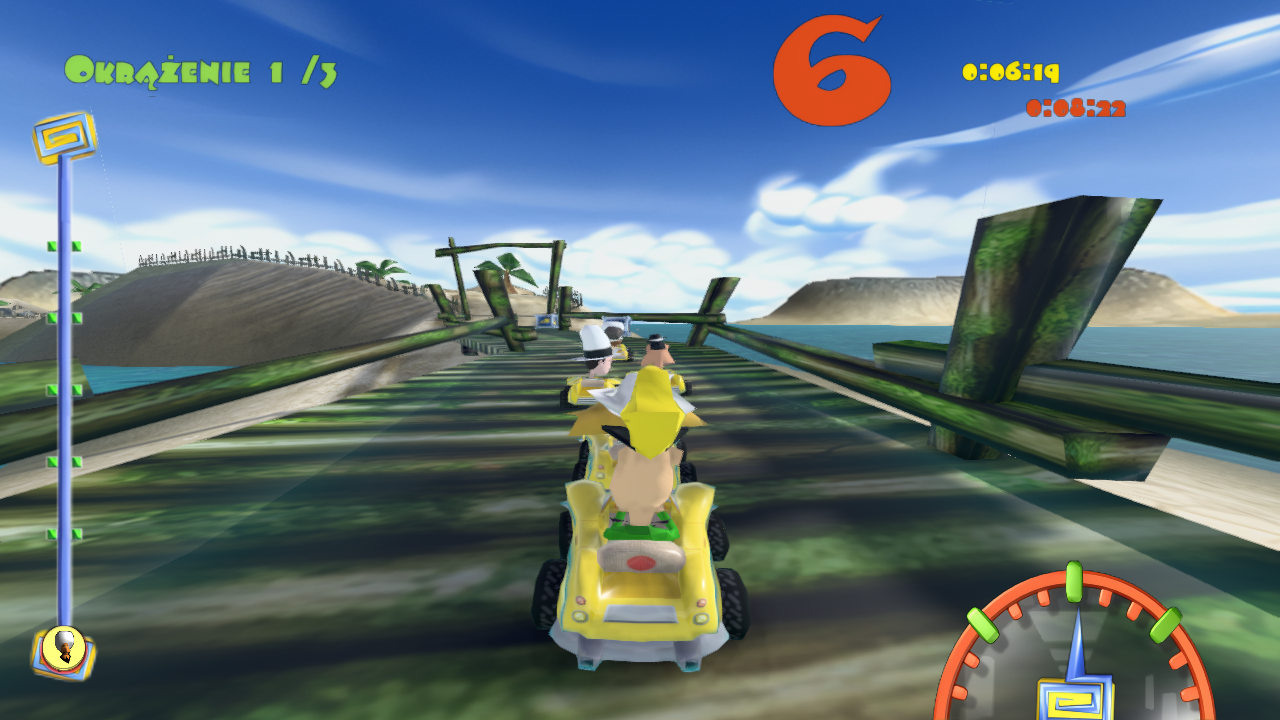
A race on the wooden bridge of tropical Atolon
Atolon · screenshot of the native version

Download and drive.

Requires your own copy of the Polish ToonCar (2001). Got Toon Quad (the Polish Odjazdowy Rajd) too? Add its tracks and Santa.

How to start?

  1. 01 Unpack the download.
  2. 02 Run it and choose the original game.
  3. 03 Pick your settings and go!

Guide

First start

  • Run ToonCar.exe on Windows or ToonCar on Linux.
  • Choose the folder of the original game with ToonCar.exe and RData. Only the Polish 2001 edition is supported.
  • The import needs about 1.6 GB of free space and can take a few minutes. The original files stay unchanged.
  • The launcher, the import window and the online menu are in English or Polish: pick a flag in the launcher. The game's own menus show the texts of your copy, which is Polish.

Toon Quad (optional)

  • Got Toon Quad too? Only its Polish edition, Odjazdowy Rajd (2003), is supported. In the import window choose the second game as well: its installed folder, a copy of the CD with SETUP.cab or an .iso image.
  • It adds 7 new tracks (each one also reversed), Santa, and Toon Quad's championships and licences. The import then needs about 2.4 GB.
  • You can add it later with Add Toon Quad in the launcher. The Game button switches between the two games, and each keeps its own progress.
  • ToonCar alone is enough to play.

Optional 4× textures

  • Unpack the add-on inside the game's folder: the texture-pack folder should sit next to ToonCar or ToonCar.exe.
  • Start the game again and in the launcher choose Graphics → Textures → Upscaled 4×.

Playing together

  • On one computer: up to 4 people. Set the number of players in the launcher, then in the game choose Multiplayer → On one computer.
  • Through Steam (the easiest): start Steam before the game. In the game choose Multiplayer → Steam: create a room, then Invite friends through Steam. A Steam window opens where you invite a friend.
  • Your friend starts the game and chooses Multiplayer → Steam: join a friend, then your room from the list. If the game is already running, accepting the invite in Steam is enough.
  • Usually there is nothing to set up. If the Steam window does not appear, add ToonCar to Steam as a non-Steam game and start it from there. Friends will see you playing “Spacewar”. That is normal: the game uses Steam's test ID.
  • Without Steam, by IP: the host chooses Network / IP: create a room and tells the others the address shown on screen. They choose Network / IP: join and type that address. On a home network it works right away. Over the Internet the host must forward TCP port 23055 on the router.
  • Online races take up to 8 people, AI fills the free places. The Arena works online too: people only, at least two.
  • Everything is unlocked online: every track and every car, including those you have not earned in single player yet. Your progress stays as it is.
  • Keep playing without reconnecting: after a race everyone returns to the room, confirms they are ready and you are off again. The host can change the track and the number of laps in the room.
  • Every player needs version 0.1.12 or newer; older downloads will not connect. A room with a Toon Quad track needs Toon Quad for every player.

Requirements and saves

  • Linux needs glibc 2.39+, for example Ubuntu/Pop!_OS 24.04. It comes with the system; do not replace it by hand.
  • The Windows download was tested under Wine.
  • Updates: the launcher checks GitHub for a newer version at start and installs it with one click. You can turn this off in the launcher's General tab.
  • A new profile starts from zero: tracks and cars have to be unlocked.
  • Saves and logs: %LOCALAPPDATA%\ToonCarRemaster (Windows) or ~/.local/share/tooncar-remaster (Linux, also $XDG_DATA_HOME).